Qfs — the Equinox disk tool
Qfs is the built-in disk management tool of the shell. It works on the
block-layer slot names hda–hdh and is the manual counterpart to the
equinoxinstall wizard (see INSTALL.md).
Disk naming
Qfs -list-disk prints the same eight fixed slots the block layer
maintains (see DRIVERS.md):
| Qfs name | Block slot | Bus |
|---|---|---|
hda … hdd |
0–3 | PATA (ATA PIO driver) |
hde … hdh |
4–7 | SATA (AHCI driver) when an AHCI controller is present |
A slot that has no drive prints as empty. With QEMU's run-ahci the
SATA disk lands on ahci.0 port 0 → slot 4 → hde.
Commands
Qfs -list-disk
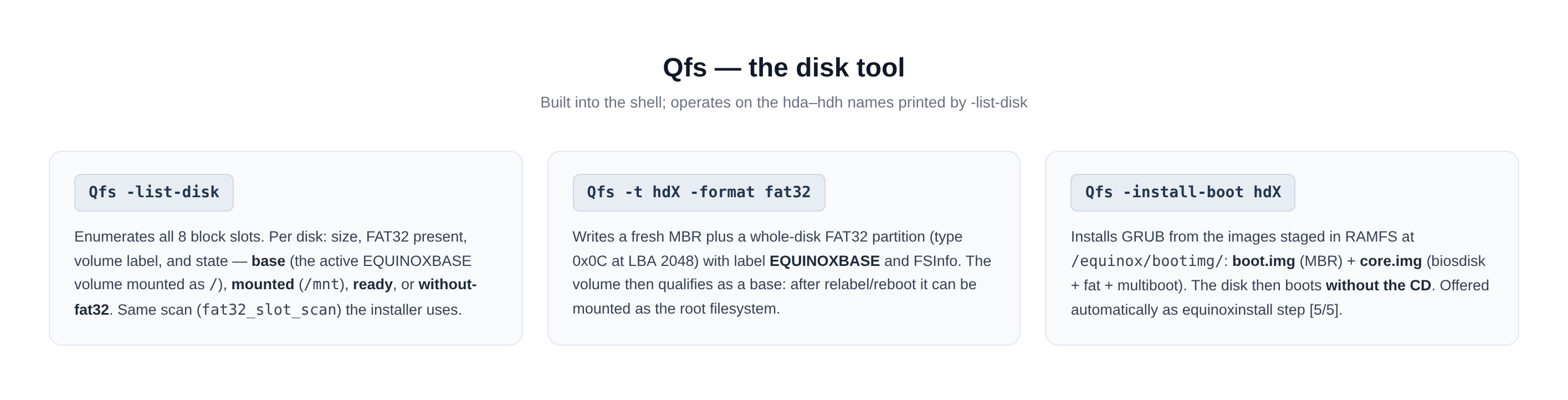
Enumerate all eight slots. Per disk: size, FAT32 present, volume label and state:
root::users / $ Qfs -list-disk
Qfs -list-disk
hda  64.0 MB  FAT32=1 label=EQUINOXBASE base
hdb  (kosong)
...
hde  64.0 MB  FAT32=1 label=-        siap
States: base (the active EQUINOXBASE volume mounted as /),
mounted (currently attached at /mnt), ready (FAT32 present,
not mounted), without-fat32 (raw). The scan used is
fat32_slot_scan — the exact same query the installer and mount
rely on.
Qfs -t hdX -format fat32
Format a disk as a fresh Equinox base volume:
- writes a new MBR;
- creates one whole-disk FAT32 partition, type
0x0C(LBA), starting at LBA 2048 (leaves room for the GRUB bootloader); - writes the FSInfo sector and the label EQUINOXBASE.
⚠️ Destructive — everything on the disk is gone. After formatting,
the volume can be mounted (mount hdX), populated by hand or by
equinoxinstall, and — once labelled EQUINOXBASE — promoted to the
root filesystem at boot.
Qfs -install-boot hdX
Make the disk boot without the CD:
- reads
boot.img+core.imgfrom RAMFS/equinox/bootimg/(staged by the ISO; built on the host withmake bootimgviagrub-mkimage: biosdisk + fat + multiboot + normal); - writes
boot.imginto the MBR (first 446 bytes + signature); - writes
core.imgand patches the boot path.
core.img is built with (hd0)/boot/grub as the prefix and an early.cfg
that loads normal from the FAT volume — so the GRUB menu then comes
from the disk itself and boots /boot/kernel.elf off it.
This is the same routine offered automatically as equinoxinstall
phase [5/5].
Related commands (shell builtins)
| Command | Function |
|---|---|
mount hdX / umount hdX |
Attach / detach the volume at /mnt (write-through) |
copy SRC [->] DST |
Copy files and trees; glob supported; destination dirs auto-created; recursive-copy guard |
del PATH |
Delete a file or a tree recursively |
diskinfo |
Drive + volume details (layout, free clusters, cache arena) |
xxd <file> [n] |
Hex dump — byte-exact proof of disk-backed reads |
Example — a minimal manual install
Qfs -list-disk
Qfs -t hde -format fat32
mount hde
copy /equinox         -> /mnt/equinox
copy /boot/kernel.elf -> /mnt/boot/kernel.elf
Qfs -install-boot hde
umount hde
reboot                     # boot the disk without the CD
(The wizard does the same plus userland compile + network config in one command — see INSTALL.md.)