CLI overview
This page walks through the NexHash command-line interface with screenshots and example invocations. Each section shows the exact command, the expected output, and a rendered preview of how it looks in a terminal.
The screenshots below were captured on a dark terminal theme. Output is colored via ANSI escape codes; colors will appear different (or be stripped entirely) depending on the terminal, but the textual content is identical.
Startup banner
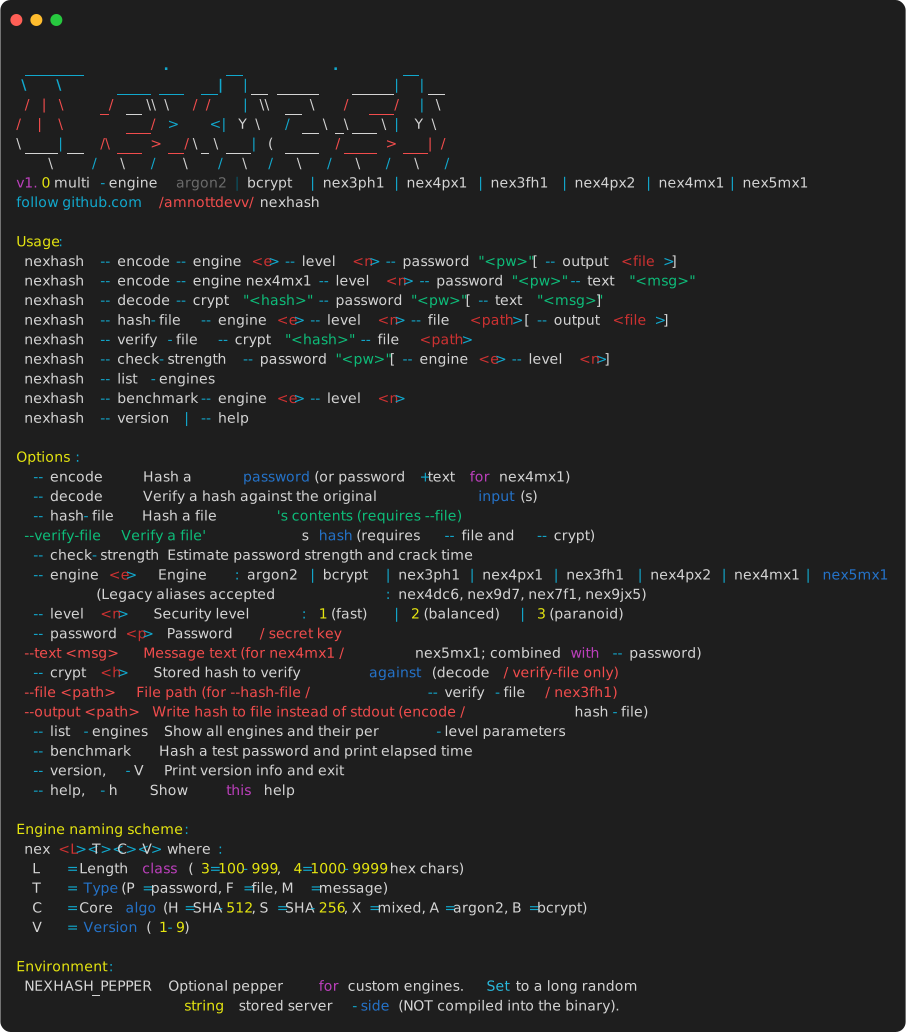
Running nexhash with no arguments (or with --help) prints the startup banner followed by the help text.
The banner is the large ASCII-art "NEXHASH" wordmark followed by the engine list and the GitHub link.
Encoding a password
Hash a password with any engine. The example below uses nex4mx1 (the keyed-message engine) at level 3.
Output is structured into three sections:
- Status line — engine + level + per-input lengths.
- Result line — success marker with elapsed time.
- Hash string — the PHC-style crypt, here 2139 characters long.
Because the output is over 1000 characters, the CLI also prints a yellow [warning] : line advising the user to save it to a file (--output).

For shorter outputs, the warning is suppressed:
nexhash --encode --engine argon2 --level 2 --password "hunter2"
# Starting hash [engine=argon2, level=2]...
# Hash successfully created!  (18.42 ms)
# $argon2id$v=19$m=65536,t=3,p=1$<salt>$<hash>
To save the hash directly to a file instead of stdout:
nexhash --encode --engine nex4px2 --level 3 --password "secret" --output hash.txt
# Hash saved to: hash.txt
Decoding (verifying a password)
Verification starts with a cinematic decode banner — the magenta ASCII-art piece followed by an animated >> decrypting... indicator — then runs the actual verification.
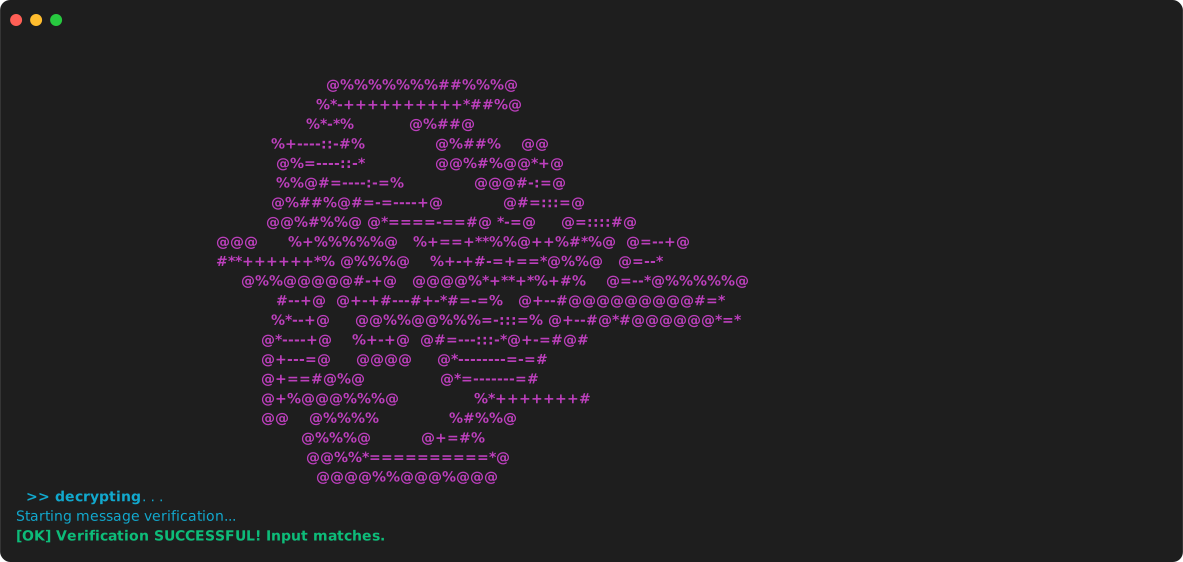
After the banner animation, the CLI prints the verification result:
On failure:
The decode mode auto-detects the engine from the PHC prefix, so you never need to pass --engine to --decode. For message-engine hashes (nex4mx1, nex5mx1), the CLI also requires --text:
File hashing
Hash the contents of a file. The file is streamed in 64 KiB chunks, so memory usage is bounded regardless of file size.
nexhash --hash-file --file release.tar.gz --level 2
# Pentest warning: file encryption features can be misused.
# Hashing file [engine=nex3fh1, level=2]...
#   file: release.tar.gz
# File hash successfully created!  (42.18 ms)
# $nexhash$nex3fh1$2$200000$<file_size>$<salt>$<hash>
Verify a file against a stored hash:
Any byte-level tampering with the file produces a different hash, so verification will fail with [FAIL].
Keyed-message hashing
The nex4mx1 and nex5mx1 engines combine a password (acting as a secret key) with arbitrary text. The two inputs are interleaved at the byte level with per-byte type tags, preventing the collision attacks that naive concatenation suffers from.
# Encode
nexhash --encode --engine nex5mx1 --level 2 \
  --password "server-secret" \
  --text "GET /api/users 2026-08-30T10:00:00Z"

# Verify
nexhash --decode --crypt "$nexhash$nex5mx1$..." \
  --password "server-secret" \
  --text "GET /api/users 2026-08-30T10:00:00Z"
Either input may be empty, but not both. The decode mode auto-detects message-engine hashes by their PHC prefix.
For memory-hard keyed-message hashing (recommended for production), use nex5mx1. For CPU-only with lower latency, use nex4mx1 at level 1.
Password strength
Estimate password strength and per-engine crack time on a reference GPU (single RTX 4090).
Output includes:
- Password length
- Estimated entropy in bits
- A verdict (Very Weak / Weak / Fair / Good / Strong), colored
- Actionable suggestions
- A comparison table of estimated crack time across all engines at level 2
Pass --engine and --level to estimate against a specific configuration:
If the password is weak, a yellow [warning] : line is printed suggesting a stronger password.
Listing engines
Prints a per-engine, per-level parameter table. Each engine section shows its output size, the iteration count or Argon2 parameters per level, and the rough wall-clock time at that level.
Benchmarking
Hashes a fixed test input and prints the elapsed time. Useful for picking the right level for your hardware.
File engines (nex3fh1) and message engines (nex4mx1, nex5mx1) cannot be benchmarked with this command because they require additional inputs (--file, --password + --text). Use --encode directly for those.
Error reporting
When a flag is misspelled, missing a value, or given an invalid value, the CLI prints a precise error and an optional tip, then exits with code 1. It never silently drops to the help menu.
$ nexhash --encode --engne argon2 --level 1 --password "x"
[error] : Unknown flag: --engne
[tip]   : Did you mean --engine?
$ nexhash --encode --engine argon2 --level abc --password "x"
[error] : Invalid value for --level: 'abc' (not a valid integer)
[tip]   : Level 1 = fast, 2 = balanced (default), 3 = paranoid.
$ nexhash --encode --engine argon2 --level 1 --password
[error] : Flag --password requires a value.
[tip]   : Usage: nexhash ... --password <value>
The "did you mean" suggestion uses Levenshtein edit distance over all known flags. If no close match exists, the tip points to --help instead.
Common recipes
| Task | Command |
|---|---|
| Hash a password (recommended) | nexhash --encode --engine argon2 --level 2 --password "..." |
| Hash a password (memory-hard, long key) | nexhash --encode --engine nex5mx1 --level 2 --password "..." --text "" |
| Save hash to file | Add --output hash.txt |
| Verify a password | nexhash --decode --crypt "<hash>" --password "..." |
| Verify a keyed message | nexhash --decode --crypt "<hash>" --password "..." --text "..." |
| Hash a file | nexhash --hash-file --file release.tar.gz --level 2 |
| Verify a file | nexhash --verify-file --crypt "<hash>" --file release.tar.gz |
| Check password strength | nexhash --check-strength --password "..." |
| List engines | nexhash --list-engines |
| Benchmark an engine | nexhash --benchmark --engine argon2 --level 3 |
| Set a server-side pepper | export NEXHASH_PEPPER="$(openssl rand -hex 32)" before any --encode / --decode |
For the complete flag reference, see Usage. For per-engine parameters and design notes, see Engines.